
The Part Arrived. Does the Customer Know?
Picture a straightforward situation. A homeowner approved a repair, but the technician needed a part. The part has now arrived at the shop. The customer is still waiting for a call. This is an illustrative example, not a customer case study.
What should happen next? Not another sales pitch. Not a generic message asking whether the homeowner needs HVAC service. Someone needs to connect the repair already discussed with a return appointment the team can actually deliver.
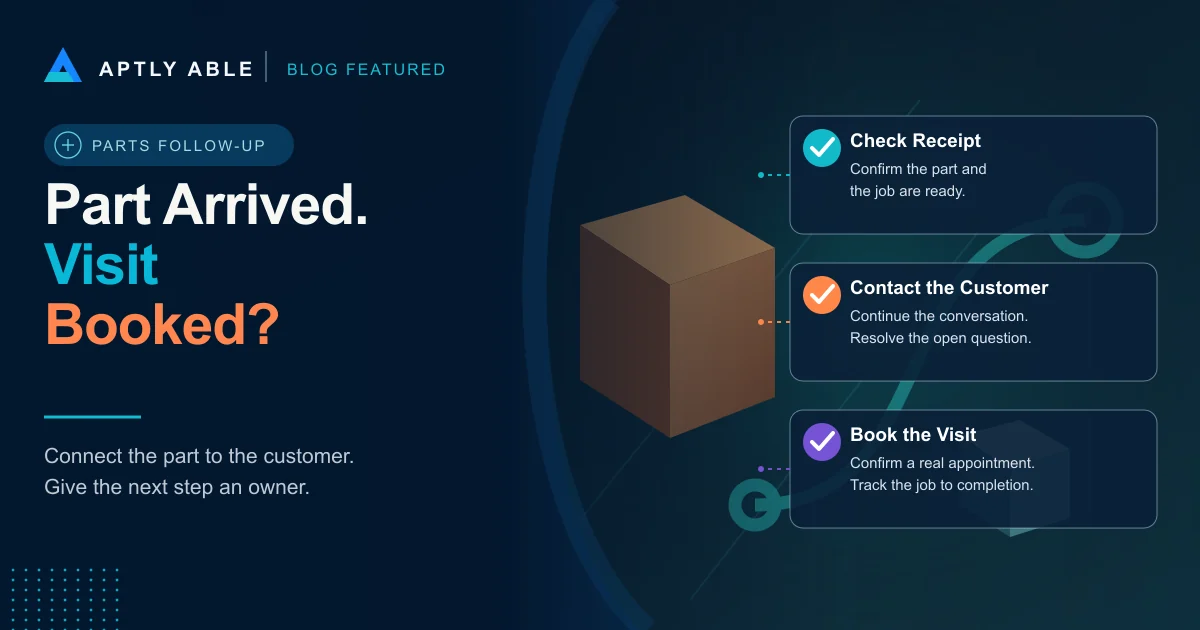
That is HVAC parts follow-up: checking that the job is ready, continuing the customer conversation, and owning the next step until the return visit is confirmed. The workflow below is a recommended operating approach, not an industry benchmark or a promise of recovered revenue.
The useful question is simple: which customers could move forward now, but have not been given a clear way to do it?
Keep Parts-Pending Work Separate From Unsold Estimates
Start by checking what the customer actually approved. An open estimate and an approved repair waiting for a part need different conversations. Do not tell someone you are ready to complete work they never authorized.
For an approved repair, have the job record show the agreed scope, the part holding up the work, the person checking its status, and the next promised customer update. If authorization is missing or the scope has changed, assign that question to the person who can resolve it before offering a firm repair appointment.
Use a small set of plain-language stages: waiting for part, received and being checked, ready to schedule, customer contacted, return visit booked, and work completed. These are suggested labels. Match them to your system without treating a delivery scan as proof that the entire job is ready.
A package on a shelf is not a customer outcome. Keep the original job connected to the return visit so the office can see what still needs to happen.
Check Readiness Before Offering a Time
Give one person responsibility for checking the received part against the job before the scheduling conversation begins. Confirm that the required items are present and that the technician or qualified reviewer has cleared any compatibility or scope questions. The scheduler should not have to guess whether a substitute is appropriate.
Then check the appointment itself. What time does the work require? Which technician can perform it? Does the customer need to arrange access? Has anything changed since the first visit? If the original booking length no longer fits, correct it before making a promise.
ServiceTitan's parts-follow-up documentation describes an automation that starts from a job tag or a Dispatch Pro Console rule, texts the homeowner, and books a follow-up using the original job type and duration.[1] That is a concrete example of the connection between receipt and scheduling. It also gives a manager something specific to check: whether the original job details still describe the return work.
If readiness is uncertain, give the customer an honest status update and a named owner for the next update. Do not replace uncertainty with an appointment nobody has verified.
Continue the Conversation Instead of Restarting It
Here is illustrative wording for a repair that has been approved and checked: Your part is here, and we are ready to arrange the return visit for the repair we discussed. Would morning or afternoon be easier? I will check the available appointments with you.
That opening gives the customer a reason for the call and a useful next step. It does not claim a particular slot is available before the scheduler checks. Adapt the wording to the actual record, the customer's contact preferences, and your approved communication process.
Now imagine the reply: I thought someone was coming last week. Do not push past that with another scheduling question. Read the prior commitment, acknowledge what remains unresolved, and bring in the person who can explain the delay or correct the promise. These are example conversations, not quotations from actual customers.
If the homeowner asks whether the price changed, answer from the approved job information. If the representative cannot confirm it, assign the question and a callback time. A booking made while an important question is still unanswered is not a clean handoff.
No Reply Is a Follow-Up State, Not a Finished Task
After an unanswered contact attempt, keep the job visible with the attempt date, channel, result, owner, and next action. Choose a reasonable follow-up plan based on the customer's instructions and your approved contact rules. Do not treat this guide as permission for unsolicited marketing or an automated calling campaign.
Make the outcome specific. Left a message, requested a later callback, needs a price clarification, and booked for a confirmed time mean different things. A note that says followed up does not tell the next person what to do.
If the customer says the repair is no longer needed, record that accurately and send any cancellation, deposit, or parts-return question to the appropriate person. Do not keep pursuing a booking after the customer has declined. The goal is an accurate next step, not a full schedule at any cost.
At the end of the day, review the jobs marked ready to schedule that still have neither a confirmed appointment nor an assigned next action. Start there rather than calling every open record again.
Automate the Connection, Keep a Person on the Exceptions
If your software supports parts-triggered scheduling, test the whole path before relying on it. Use a controlled test record to check the receipt trigger, job context, available times, customer reply, appointment creation, and exception handling. An outgoing message alone is not proof that scheduling works.
ServiceTitan specifically says Adaptive Capacity must be configured for its virtual agent to offer valid appointment slots; its preparation guidance also calls for the appropriate Virtual Agents permissions and an identified parts-received trigger.[1] Verify availability and configuration in your own account rather than assuming a release note means your workflow is already enabled.
Give a person ownership of replies the automation cannot settle: a changed scope, an upset customer, a pricing question, or an unsuitable time. Preserve what the customer has already said so the human can continue the conversation.
The same standard applies when the process is manual. Whoever owns the next action needs the job context, permission to act, and a clear deadline.
Count the Next Step That Actually Happened
Review parts-ready jobs, contacts attempted, customers reached, return visits booked, and repairs completed as separate stages. Use unique job records so repeated calls do not turn into multiple recovered opportunities. Keep booked work separate from completed or paid work in revenue reporting.
Look at the oldest ready-to-schedule jobs and read the conversation before judging the result. Is the team waiting on a homeowner, a scope decision, a suitable appointment, or an internal answer? The next action should address that reason.
For today's review, choose a small set of parts-ready repairs. Give each one a checked status, a named person, and a specific customer next step. Then confirm whether that step happened.
That is the difference between telling the office a part arrived and helping a customer get the repair finished.
HVAC Parts Follow-Up FAQs
What is HVAC parts follow-up?
HVAC parts follow-up is the process of tracking a parts-dependent job, verifying readiness, updating the customer, and arranging the return visit once the required work can proceed.
Who should contact the customer when an HVAC part arrives?
Assign a named scheduling or customer-service owner after the part and job readiness have been checked. Route technical, scope, and pricing questions to someone authorized to answer them.
What should a parts-arrival message say?
Identify the existing repair, confirm only the readiness you have verified, and offer a clear way to arrange the return visit. Do not promise an unchecked appointment or restart the conversation as a new sales pitch.
What if the customer does not answer?
Record the contact attempt and assign a next action consistent with the customer's instructions and your approved contact rules. Leave the job visible until it is booked, declined, or moved to another accurate status.
Does a booked return visit count as recovered revenue?
Treat it as a booking, not completed or paid revenue. Track the job through completion and payment, and avoid counting repeated contacts or appointments as separate recovered jobs.
Recommended next reads
Related Aptly Able resources
- CallSense Review customer conversations for unresolved questions and promised next steps.
- FieldSense Explore visibility into the field conversations behind the next customer decision.
- HVAC Dispatch Handoff Checklist Carry the wider job context from the office to the field.
- What Is Bid Recovery? Use the separate workflow for estimates that have not yet been approved.
- Revenue Recovery Audit Find the next-step gaps in opportunities your company already has.
Helpful external reading
- [1] ServiceTitan: Follow Up When Parts Arrive Primary documentation for parts-arrival triggers, customer outreach, appointment booking, and required capacity configuration.